kcalm on WhatsApp
Text, snap or say what you ate. kcalm counts it and keeps your day in one chat.
First 3 days free. Set up in about a minute.
Get set up
about a minuteStep 1: Say hi
Open the chat and tap Get started. Any message works too.
You send
Get started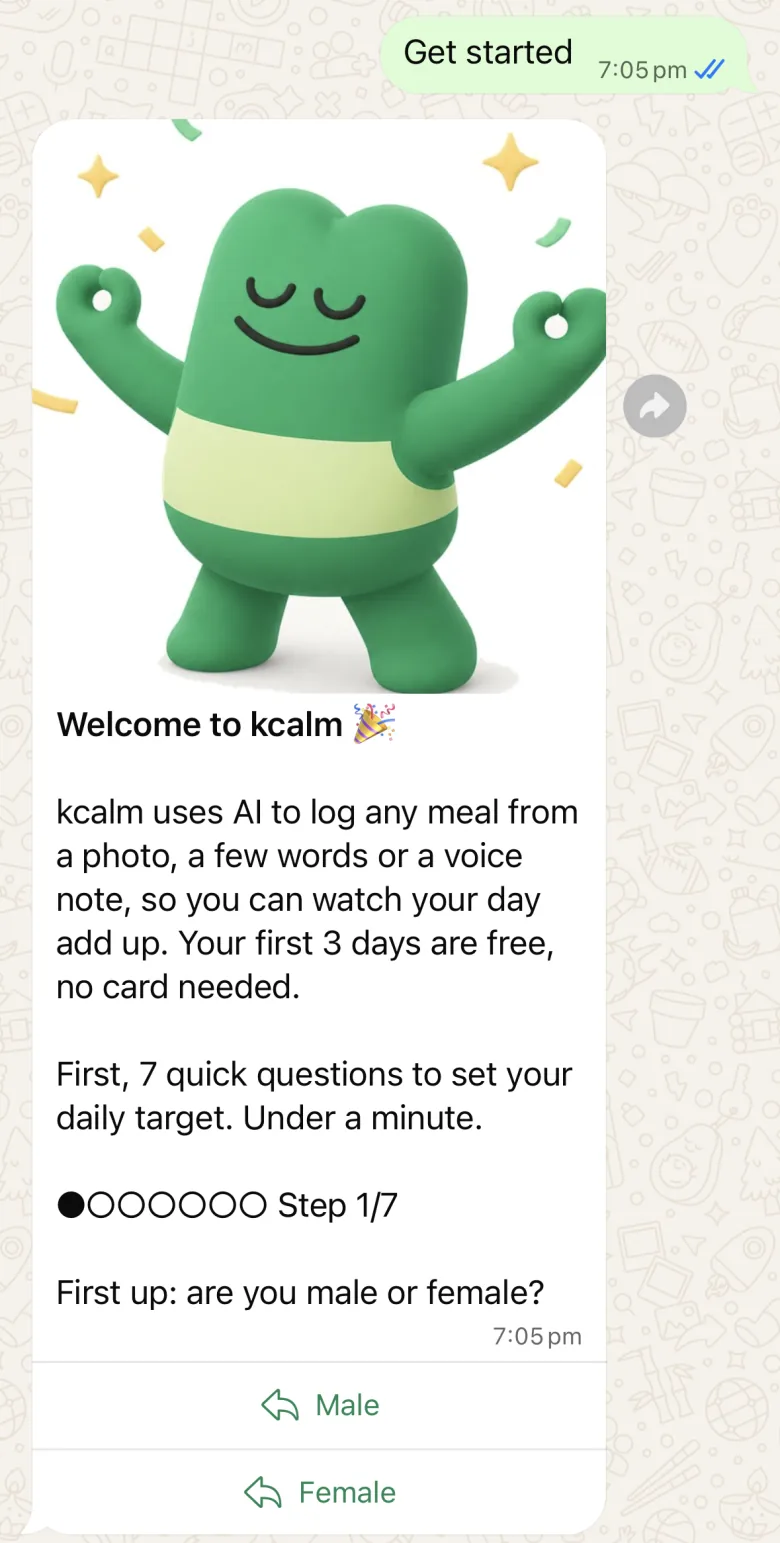
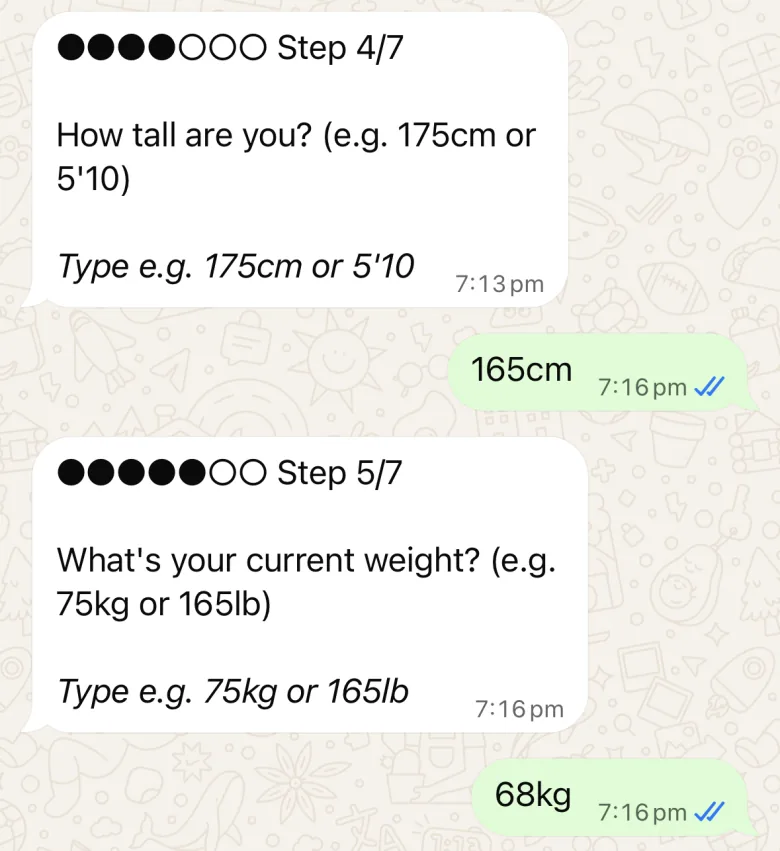
Step 2: Answer 7 quick questions
Tap a button or type a short answer, like 165cm or 68kg. Feet and pounds work too.
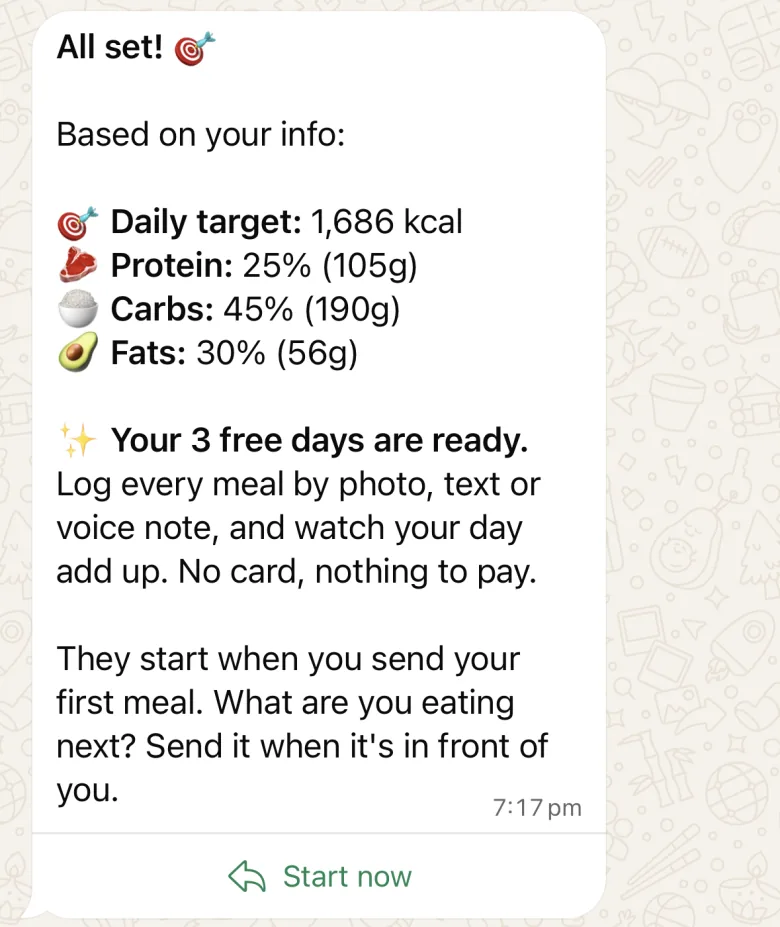
Step 3: Get your daily target
kcalm works out your calories, protein, carbs and fat. Your 3 free days start with your first meal.
Every day
Step 4: Tell it what you ate
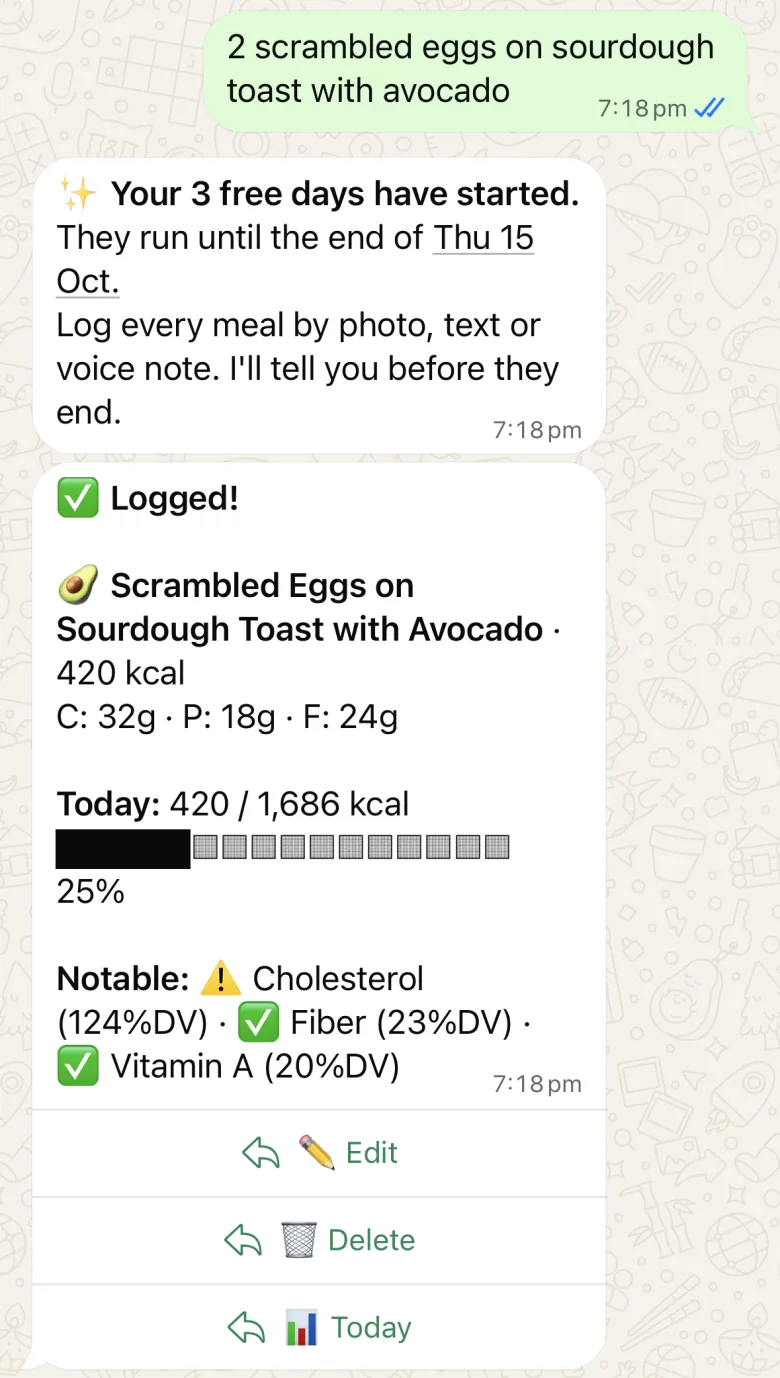
Write it the way you would text a friend. A photo of your plate or a voice note works too.
You send
2 scrambled eggs on sourdough toast with avocadoIt logs straight away. For photos, shoot from above.
Step 5: Fix it in one line
Tap Edit under the meal, then say what changed.
You send
it was 3 eggs, not 2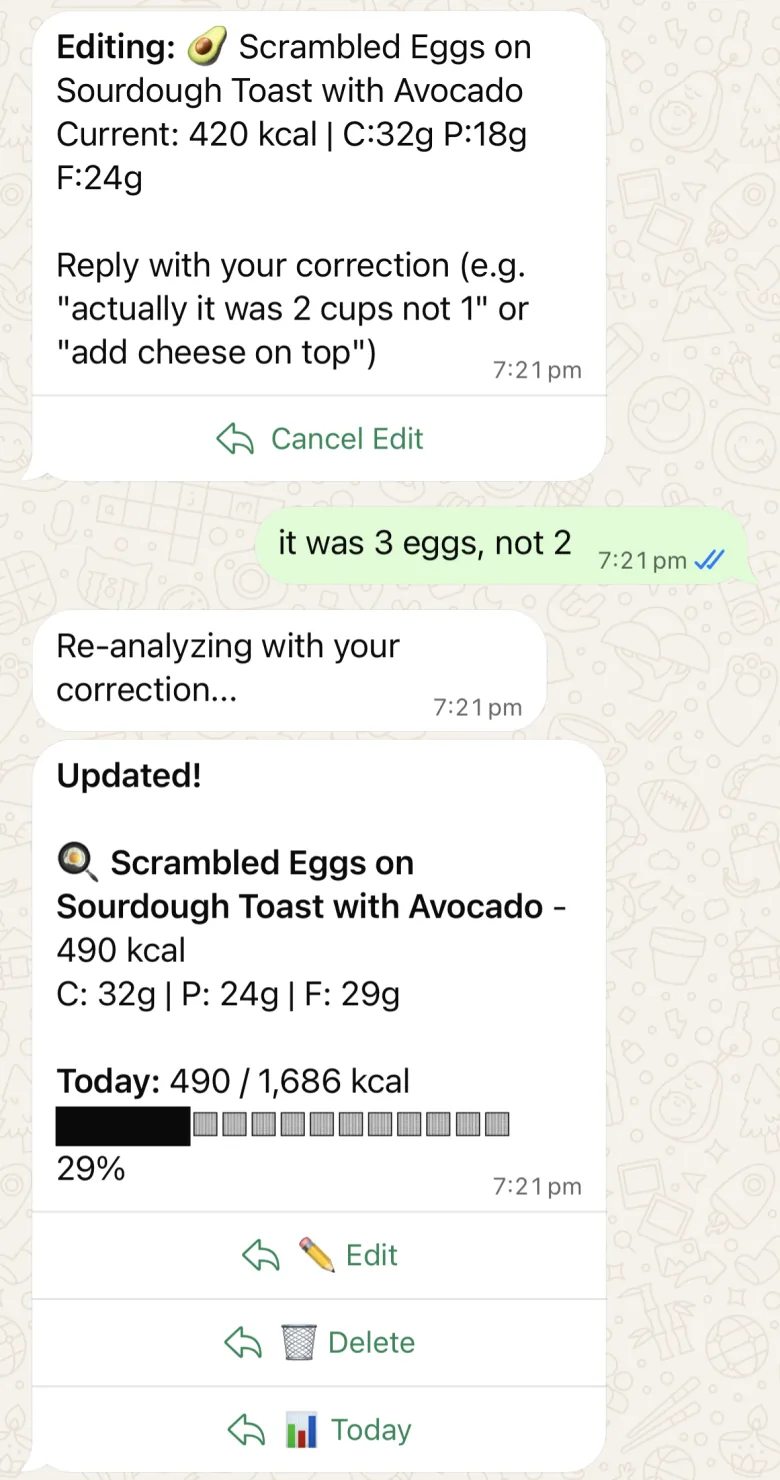
Step 6: Log exercise and weight
Say what you did and kcalm counts what you burned. For weight, start with the word weight, in kilograms.
You send
ran 5km in 30 minutesweight 68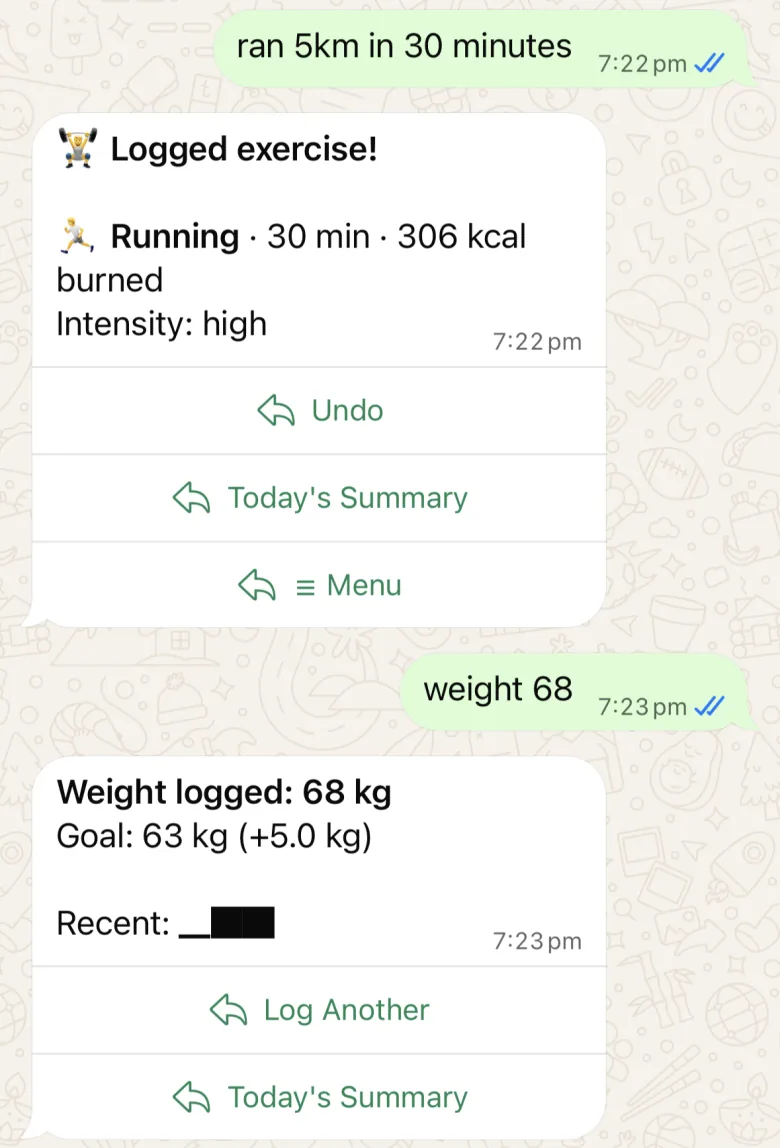
Step 7: Check your day
See what you ate, what you burned and what is left. For the last 7 days, send week.
You send
today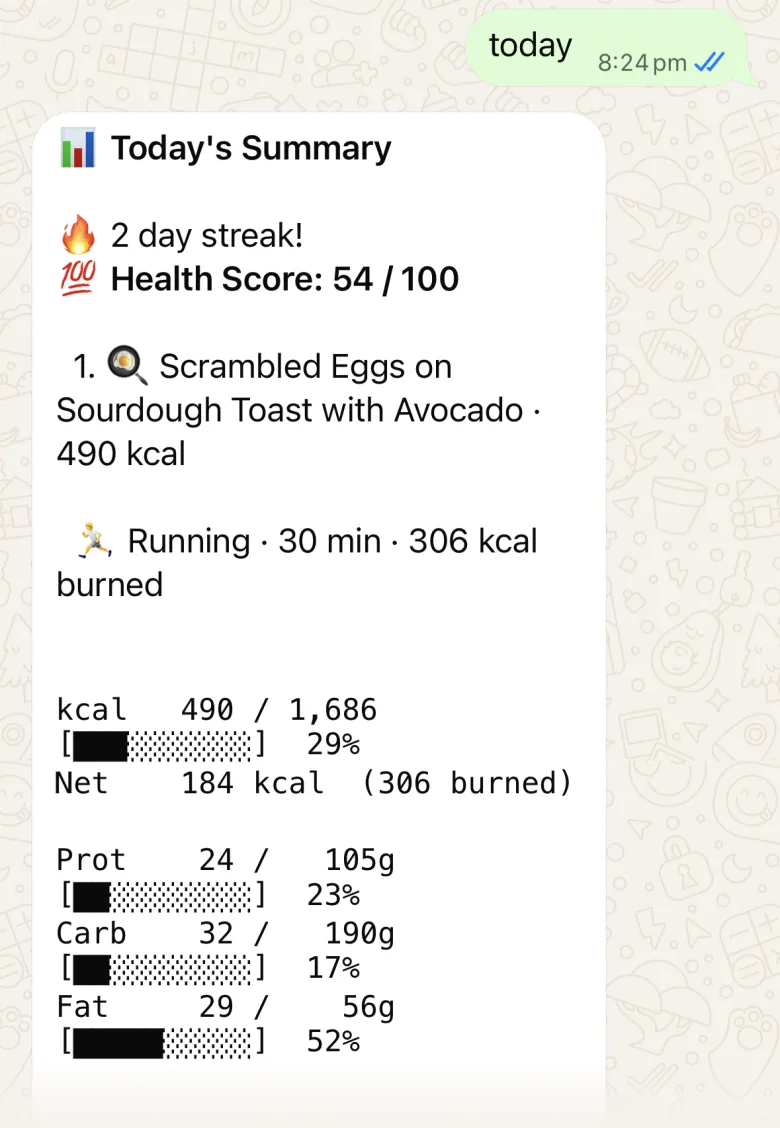
Anytime
Step 8: Not sure what to send?
Send menu and everything kcalm can do is one tap away.
You send
menu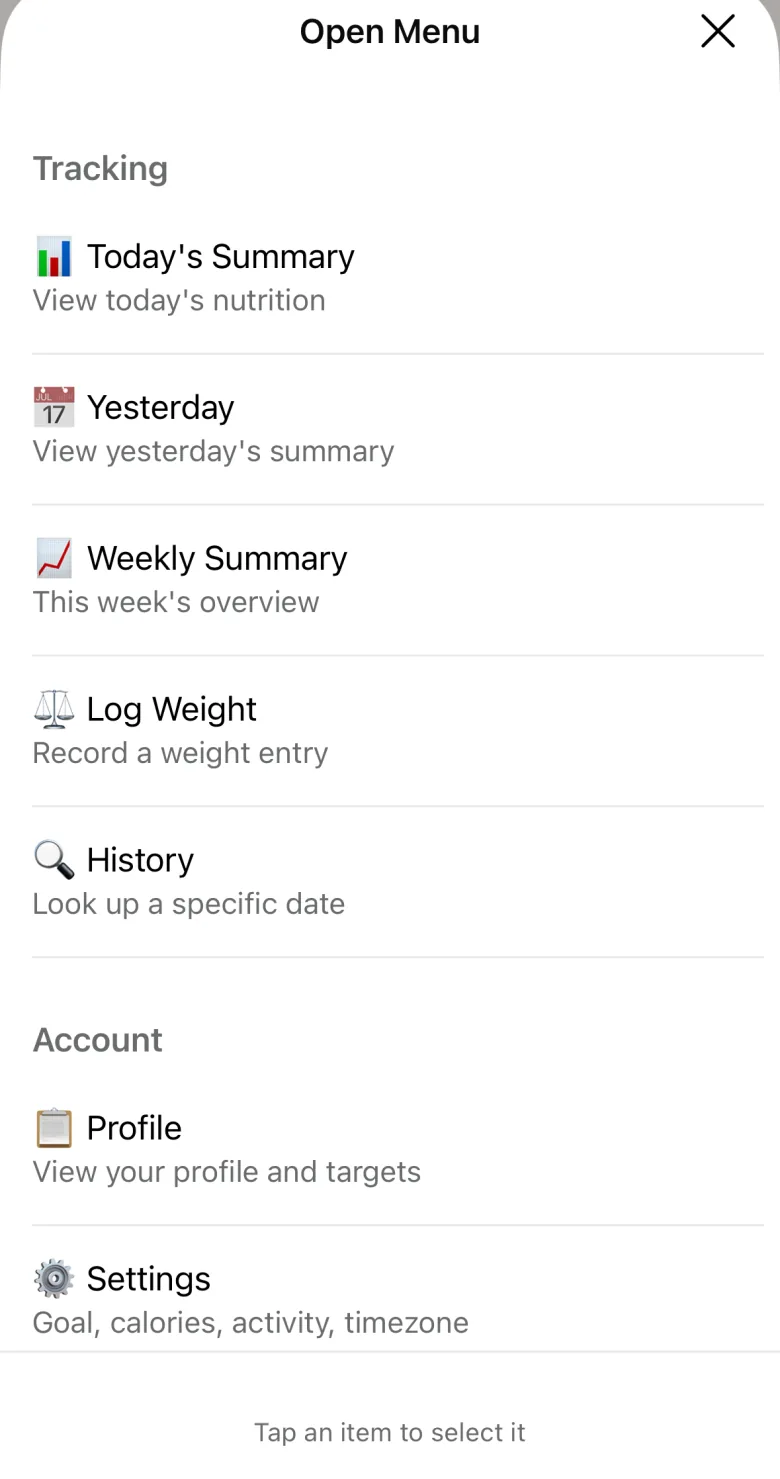
Words kcalm knows
You never need these to log food. They are shortcuts for everything else.
- today
- Your day so far
- yesterday
- Yesterday's summary
- week
- The last 7 days
- history 2026-10-01
- Any past day
- weight 68
- Log your weight in kg
- profile
- Your details and targets
- settings
- Change your goal or target
- settimezone
- Set your local time
- subscribe
- Choose a plan
- human
- Reach a person
- deleteaccount
- Delete your account
- help
- The full list
Good to know
- Your first 3 days are free. They start with your first meal, and kcalm tells you before they end.
- To keep going after that, send subscribe and pick a plan in the chat.
- Send settimezone once and pick your city. Until you do, your day ends at midnight UTC, which may not be your midnight.
Ready when you are
Open the chat, press send, and answer 7 questions.